






Creating a productive workspace at home can significantly improve your focus, efficiency, and overall work experience. Whether you work remotely full-time or occasionally need to tackle tasks at home, setting up an environment that supports your productivity is essential. Here are some simple tips to help you create a workspace where you can thrive.
Choose the Right Location
Your workspace location impacts your ability to concentrate. It’s best to select a quiet spot with minimal distractions.
– Natural light: Try to position your desk near a window. Natural light boosts mood and reduces eye strain.
– Away from noise: Avoid high-traffic areas like the kitchen or living room if possible.
– Dedicated space: Even a small corner can work well if it’s dedicated solely to work activities.
Invest in Comfortable and Functional Furniture
Comfort is key for maintaining productivity during long work hours.
– Ergonomic chair: Choose a chair that supports your back and encourages good posture.
– Proper desk height: Your desk should be the right height to avoid strain on your wrists and shoulders.
– Adjustability: Consider a desk or chair that can be adjusted to suit different tasks and positions.
Keep It Organised and Clutter-Free
A tidy workspace reduces distractions and makes it easier to focus.
– Declutter regularly: Remove unnecessary items from your desk.
– Storage solutions: Use shelves, drawers, or boxes to keep papers and supplies organised.
– Minimalist approach: Keep only the essentials on your desk to maintain a clean area.
Use Good Lighting
Inadequate lighting can cause headaches and tiredness.
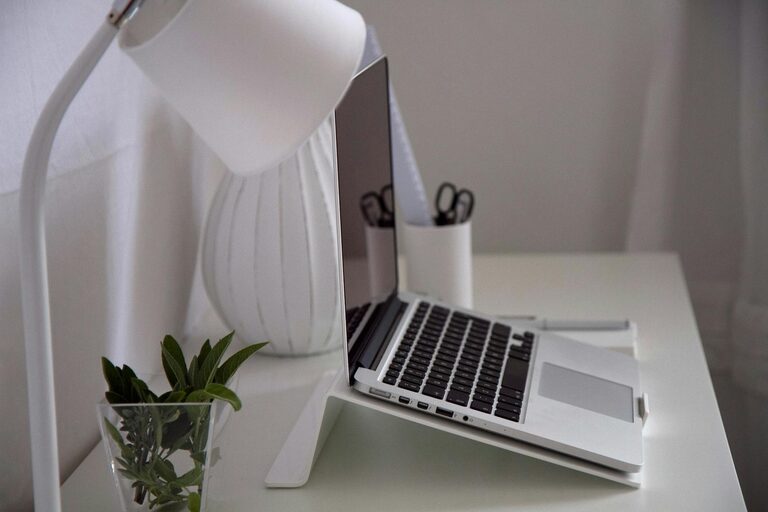
– Desk lamp: Use an adjustable desk lamp to provide extra light when natural light fades.
– Avoid glare: Position screens and lights to minimise reflections.
– Warm vs. cool light: Choose lighting that suits your preference; cooler light can increase alertness, while warmer light feels relaxing.
Set Up Your Technology Efficiently
Your tools should support your workflow without causing frustration.
– Reliable internet: Ensure you have a strong internet connection to avoid interruptions.
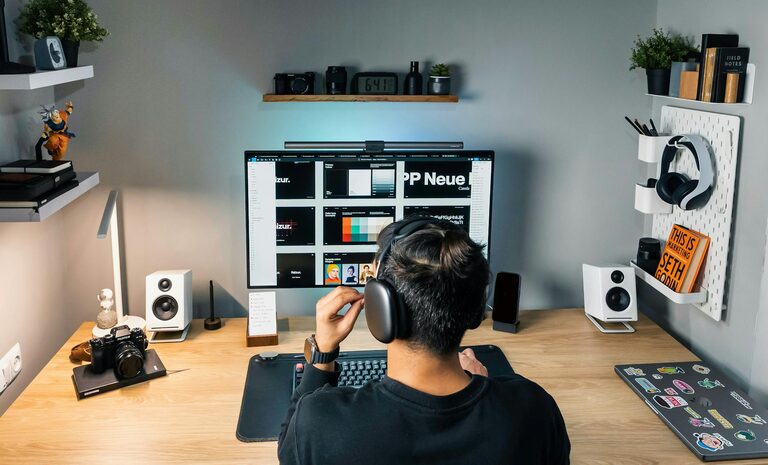
– Monitor placement: Position your screen at eye level to reduce neck strain.
– Cable management: Use clips or ties to organise cables neatly.
Personalise Your Space Thoughtfully
Adding touches that inspire you can improve motivation, but too much can be distracting.
– Plants: Small plants can boost mood and air quality.
– Artwork or photos: Include some personal items that make you happy.
– Avoid distractions: Steer clear of items that could pull your attention away from work.
Create a Routine and Boundaries
A good workspace helps establish work-life boundaries, especially at home.
– Set work hours: Decide when you start and end work each day.
– Take breaks: Include short breaks to stretch and recharge, away from your desk.
– Separate work and leisure: Leave work materials in your workspace and avoid working in relaxing areas like the sofa or bed.
Optimise for Your Workflow
Tailor your workspace to how you work best.
– Task zones: Design different areas for specific activities, such as computer work, reading, or brainstorming.
– Supplies within reach: Keep frequently used items close to avoid unnecessary getting up.
– Use productivity tools: Consider apps or planners to organise tasks and deadlines.
Maintain Your Workspace
Regular upkeep keeps your workspace efficient and inviting.
– Clean daily: Wipe down surfaces and organise anything left out.
– Review setup periodically: Adjust lighting, furniture, or organisation as your needs change.
– Stay flexible: Your ideal workspace may change over time, so be open to updates.
—
By following these simple tips, you can create a home workspace that encourages productivity and supports your well-being. The key is to find what works best for you and make your environment a comfortable, organised, and motivating place to work.